# User Does Not Exists ( Error Code 1001 )
**URL:** https://devforum.zoom.us/t/user-does-not-exists-error-code-1001/15803
**Category:** API and Webhooks
**Created:** [May 2, 2020, 1:34pm UTC](https://devforum.zoom.us/t/user-does-not-exists-error-code-1001/15803 "2020-05-02T13:34:03Z")
**Posts on this page:** 20
**Page:** 1
### Author:  [@PasinduDew](https://devforum.zoom.us/u/PasinduDew)
#### Post date: [May 2, 2020, 1:34pm UTC](https://devforum.zoom.us/t/user-does-not-exists-error-code-1001/15803/1 "2020-05-02T13:34:03Z")
When I try to Create a meeting with Zoom API request, I get the error which says user does not exists. I have tried to get the users ID using Get Users List API call and then use the UserID given by the response of that call. Also tried using user email.
{
code: 1001,
message: ‘User does not exist: \*\*\*\*\*\*\*\*\*\*\*’
}
App Type: JWT
Account Type: Basic
Create a Meeting
POST # /users/{userId}/meetings
---
### Author:  [@samly](https://devforum.zoom.us/u/samly)
#### Post date: [May 5, 2020, 1:29pm UTC](https://devforum.zoom.us/t/user-does-not-exists-error-code-1001/15803/2 "2020-05-05T13:29:40Z")
Can you provide the payload you are sending to the Create Meeting API?
---
### Author:  [@tommy](https://devforum.zoom.us/u/tommy)
#### Post date: [May 11, 2020, 6:52pm UTC](https://devforum.zoom.us/t/user-does-not-exists-error-code-1001/15803/3 "2020-05-11T18:52:36Z")
Hey @PasinduDew,
Can you private message what you are passing in for the `{userId}`?
Thanks,
Tommy
---
### Author:  [@rahmed.sammaron](https://devforum.zoom.us/u/rahmed.sammaron)
#### Post date: [May 13, 2020, 3:57pm UTC](https://devforum.zoom.us/t/user-does-not-exists-error-code-1001/15803/4 "2020-05-13T15:57:53Z")
I am having the same error I am using the WordPress zoom plugin to create a user if a user with the current email doesn’t exist then use that Id to create a meeting.
Get user is getting me the Id but creating an email is failing I am having a work deadline anyone can tell me how to go about this.
---
### Author:  [@tommy](https://devforum.zoom.us/u/tommy)
#### Post date: [May 18, 2020, 7:40pm UTC](https://devforum.zoom.us/t/user-does-not-exists-error-code-1001/15803/5 "2020-05-18T19:40:54Z")
Hey @rahmed.sammaron,
Please email your request details and the userID that is not working to [developersupport@zoom.us](mailto:developersupport@zoom.us).
Thanks,
Tommy
---
### Author:  [@gaurav.singh881](https://devforum.zoom.us/u/gaurav.singh881)
#### Post date: [June 16, 2020, 5:21am UTC](https://devforum.zoom.us/t/user-does-not-exists-error-code-1001/15803/7 "2020-06-16T05:21:56Z")
I am having the same error,When I try to Create a meeting with Zoom API request, I get the error which says user does not exists.i Have used Api GET USER ID API Work successfuly but create Meeting get Error
{
code: 1001,
message: ‘User does not exist: \*\*\*\*\*\*\*\*\*\*\*’
}
Please Suggested Me…
---
### Author:  [@tommy](https://devforum.zoom.us/u/tommy)
#### Post date: [June 18, 2020, 7:26am UTC](https://devforum.zoom.us/t/user-does-not-exists-error-code-1001/15803/8 "2020-06-18T07:26:05Z")
Hey @gaurav.singh881,
Please email your request details and the userID that is not working to [developersupport@zoom.us](mailto:developersupport@zoom.us).
Thanks,
Tommy
---
### Author:  [@yonksdsp](https://devforum.zoom.us/u/yonksdsp)
#### Post date: [July 24, 2020, 11:36am UTC](https://devforum.zoom.us/t/user-does-not-exists-error-code-1001/15803/9 "2020-07-24T11:36:41Z")
Hello! I’m trying to create a meeting link using your api, but I get an error:
Array
(
[code] =\> 1001
[message] =\> User does not exist: xxxxxxxxxxxxxxxx.
)
---
### Author:  [@rgutierrezh](https://devforum.zoom.us/u/rgutierrezh)
#### Post date: [July 26, 2020, 9:20pm UTC](https://devforum.zoom.us/t/user-does-not-exists-error-code-1001/15803/10 "2020-07-26T21:20:36Z")
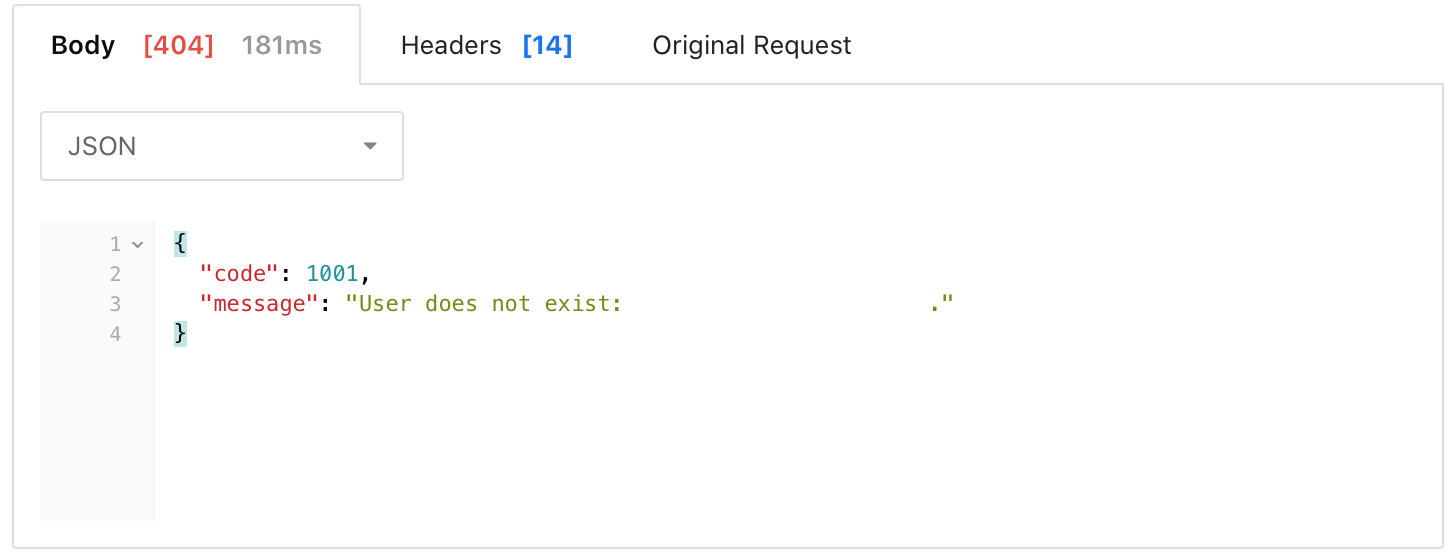
Hi everyone, is there an issue with this request? I’m having the same problem when I try to create a meeting from the API Test request tool and I’m not sure if I’m doing something wrong.
I do retrieve the list of user for my account with /user endpoint, I also retrieved user info with /users/{userId} and I get a response with all the user data, but I’m not able to create a meeting with the same userId, instead I’m getting a 1001 error code:
---
### Author:  [@tommy](https://devforum.zoom.us/u/tommy)
#### Post date: [July 28, 2020, 8:04pm UTC](https://devforum.zoom.us/t/user-does-not-exists-error-code-1001/15803/11 "2020-07-28T20:04:53Z")
Hey @rgutierrezh, @yonksdsp,
We are looking into this issue and will get back to you. (ZOOM-179506)
In the meantime, please share your request body JSON so I can debug.
Thanks,
Tommy
---
### Author:  [@rgutierrezh](https://devforum.zoom.us/u/rgutierrezh)
#### Post date: [July 28, 2020, 8:59pm UTC](https://devforum.zoom.us/t/user-does-not-exists-error-code-1001/15803/12 "2020-07-28T20:59:36Z")
Hi @Tommy, here it is, the fields `alternative_hosts` and and `schedule_for` had the same value for a valid and active email address.
```
{
"topic": "Meeting schedule",
"type": 2,
"start_time": "2020-07-27 T 00:00:00",
"duration": 50,
"schedule_for": "a.valid.email@pensare.mx",
"timezone": "America/Mexico_City",
"settings": {
"host_video": true,
"participant_video": true,
"cn_meeting": false,
"in_meeting": false,
"join_before_host": true,
"mute_upon_entry": false,
"watermark": false,
"use_pmi": false,
"approval_type": 3,
"audio": "voip",
"auto_recording": "none",
"alternative_hosts": "a.valid.email@pensare.mx",
"registrants_email_notification": "false"
}
}
```
---
### Author:  [@52mlmall](https://devforum.zoom.us/u/52mlmall)
#### Post date: [July 29, 2020, 4:29am UTC](https://devforum.zoom.us/t/user-does-not-exists-error-code-1001/15803/13 "2020-07-29T04:29:55Z")
Hi @tommy ,I have the same error, please help to check.
the request is here:
> >
POST [https://api.zoom.us/v2/users/me/meetings](https://api.zoom.us/v2/users/me/meetings)
Headers:
Authorization: Bearer eyJhbGciOiJIUzI1NiIsInR5cCI6IkpXVCJ9.eyJpc3MiOiJlOWd4Y2pHaFNMdVVRRHdsN0NSZEtBIiwiZXhwIjoxNTk1OTkzNDY0NzQ3LCJpYXQiOjE1OTU5OTM0NTl9.ldXl3BgCqJ\_BYcWi-\_J4\_L1up6HoCSKXWwAvU\_DAlu4
Content-Type: application/json
Body:
{
“agenda”: “good day”,
“duration”: 2000,
“password”: “ab123456”,
“schedule\_for”: “[hsin.l@seoftware.com](mailto:hsin.l@seoftware.com)”,
“settings”: {
“alternative\_hosts”: “string”,
“approval\_type”: 0,
“audio”: “voip”,
“auto\_recording”: “cloud”,
“cn\_meeting”: true,
“enforce\_login”: false,
“enforce\_login\_domains”: “string”,
“global\_dial\_in\_countries”: [
“china”,
“usa”
],
“host\_video”: true,
“in\_meeting”: false,
“join\_before\_host”: true,
“mute\_upon\_entry”: false,
“participant\_video”: true,
“registrants\_email\_notification”: false,
“registration\_type”: 1,
“use\_pmi”: true,
“watermark”: false
},
“start\_time”: “2020-07-29T00:00:00Z”,
“timezone”: “Asia/Shanghai”,
“topic”: “string”,
“type”: 2
}
---
### Author:  [@52mlmall](https://devforum.zoom.us/u/52mlmall)
#### Post date: [July 29, 2020, 8:21am UTC](https://devforum.zoom.us/t/user-does-not-exists-error-code-1001/15803/14 "2020-07-29T08:21:50Z")
I try create a type 1 meeting ,it’s OK now.
thanks
---
### Author:  [@tommy](https://devforum.zoom.us/u/tommy)
#### Post date: [July 29, 2020, 4:57pm UTC](https://devforum.zoom.us/t/user-does-not-exists-error-code-1001/15803/15 "2020-07-29T16:57:32Z")
Hey @yonksdsp, @rgutierrezh,
After looking at our logs, the user you are trying to get meeting information for has been deleted so the request will fail.
Thanks,
Tommy
---
### Author:  [@m.nagarajanbtech](https://devforum.zoom.us/u/m.nagarajanbtech)
#### Post date: [July 31, 2020, 11:53am UTC](https://devforum.zoom.us/t/user-does-not-exists-error-code-1001/15803/16 "2020-07-31T11:53:53Z")
Hi Tommy,
I’m also getting the same “User doesn’t exist” error response when I’m creating an meeting. I have listed the request and response param below :
**Request Param :**
Array (
[topic] =\> My Meeting
[type] =\> 2
[password] =\> \*\*\*\*\*\*\*
[settings] =\> Array (
[host\_video] =\>
[participant\_video] =\>
[join\_before\_host] =\> 1
[use\_pmi] =\> [audio] =\> both
)
)
**Response Param**
{
code: 1001,
message: ‘User does not exist: \*\*\*\*\*\*\*\*\*\*\*’
}
Please help us to get this resolved.
Thanks!
---
### Author:  [@rgutierrezh](https://devforum.zoom.us/u/rgutierrezh)
#### Post date: [July 31, 2020, 10:54pm UTC](https://devforum.zoom.us/t/user-does-not-exists-error-code-1001/15803/17 "2020-07-31T22:54:51Z")
Hey Everyone, FYI, I just got a Pro account, test the same request, and got a complete different response.
BTW, with the free account, the user ID I was using to create a meeting was an active user.
**UPDATE** : After swapping Free account for Pro account, I found 2 errors of mine, at least for my request:
1. The account I am using for schedule is **not an assigned scheduler** for the account I set as value for field `schedule_for`, so the response returned a status code 400:
`{“code”:1110,“message”:“Not assigned scheduler.”}`
Because I wasn’t trying to schedule for other account, I removed the field `schedule_for` from my request
2. After that, I got a 400 status code with this error, which is related to the `alternative_hosts` field:
`{ "code": 1114, "message": "some.valid.email@mail.com is not a user in your Zoom account." }`
After looking for some more information, I found that @Tommy share that there are some prerequisites for both `schedule_for` and `alternative_hosts` features here:
> [@Accessing AlternativeHost/SchedulingFor feature through API](https://devforum.zoom.us/t/accessing-alternativehost-schedulingfor-feature-through-api/16416/3):
>
> Hey @integrationAnywhere, Please see the prerequisites for the schedule\_for and alternative\_host features here: Thanks, Tommy
At the end I removed both fields from my request since I don’t need them.
---
### Author:  [@tommy](https://devforum.zoom.us/u/tommy)
#### Post date: [August 4, 2020, 5:54am UTC](https://devforum.zoom.us/t/user-does-not-exists-error-code-1001/15803/18 "2020-08-04T05:54:36Z")
Thanks for sharing your solution @rgutierrezh!
-Tommy
---
### Author:  [@tommy](https://devforum.zoom.us/u/tommy)
#### Post date: [August 4, 2020, 5:54am UTC](https://devforum.zoom.us/t/user-does-not-exists-error-code-1001/15803/19 "2020-08-04T05:54:54Z")
Hey @m.nagarajanbtech,
Please share your full request body JSON so I can debug.
Thanks,
Tommy
---
### Author:  [@m.nagarajanbtech](https://devforum.zoom.us/u/m.nagarajanbtech)
#### Post date: [August 6, 2020, 9:30am UTC](https://devforum.zoom.us/t/user-does-not-exists-error-code-1001/15803/20 "2020-08-06T09:30:26Z")
Hi Tommy,
We are sending the below in the request body for creating a meeting.
Array (
[topic] =\> My Meeting
[type] =\> 2
[password] =\> \*\*\*\*\*\*\*
[settings] =\> Array (
[host\_video] =\>
[participant\_video] =\>
[join\_before\_host] =\> 1
[use\_pmi] =\> [audio] =\> both
)
)
The remaining request params might be set it by default.
Thanks!
---
### Author:  [@tommy](https://devforum.zoom.us/u/tommy)
#### Post date: [August 7, 2020, 7:29pm UTC](https://devforum.zoom.us/t/user-does-not-exists-error-code-1001/15803/21 "2020-08-07T19:29:40Z")
Hey @m.nagarajanbtech,
I need the request body in JSON format so I can reproduce the error on my end.
Thanks,
Tommy
[Next page](https://devforum.zoom.us/t/user-does-not-exists-error-code-1001/15803.md?page=2)