Here’s my question for the Product team: Why do we insist on giving every AI Face, meeting recorders, and passive bots their own place in the Hollywood Squares Gallery? I’m here to see faces, not logos and status orbs.
Please fix it.
Put all the non-humans in a single “Bot Box” on the gallery. Nine AI agents? They share a slot.
The rest of us get our human face space back.
And here’s another thing. Bots dropping comments in chat? Seriously…?
Why does their noise bump my eye off the “Everyone” tab, where the actual conversation happens? Park bot messages in their own lane. Humans get priority.
AI participants are handy, sure. Just don’t let them run the room.
Hi @Jean-Michel! We agree there are opportunities to improve meeting experience by prioritizing human participants. While many people also prioritize apps having access to their meetings, bot tiles are not always ideal.
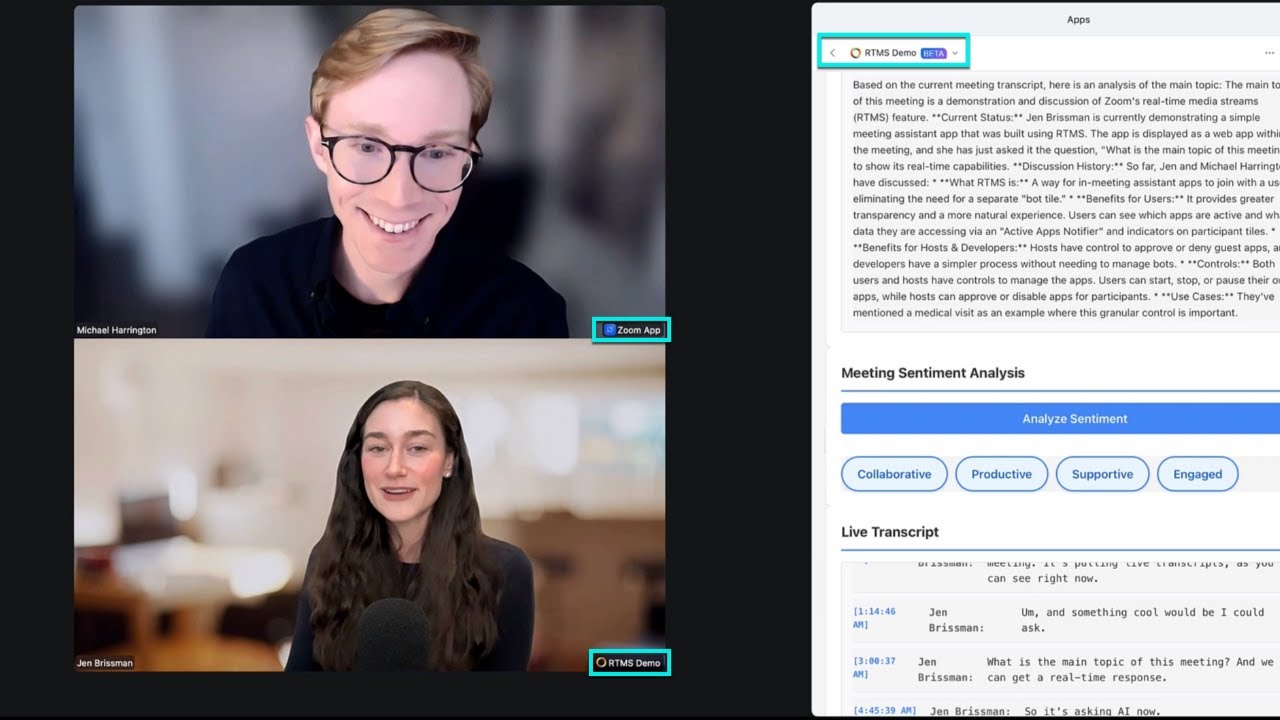
We’ve recently released a new method for apps to join meetings, Realtime Media Streams (RTMS). RTMS improves the in-meeting experience for apps and provides developers with better structured data to build with.
With RTMS, apps appear as subtle labels on their user’s tile, not as a tile. The “Active App Notifier” in the top right of a meeting shows which apps are being used and gives their users & hosts controls over the apps.
As more and more of the largest notetakers and apps move toward Realtime Media Streams, you’ll see these enhancements start to replace the bot experience in meetings.
We have a write up of this new model, and a YouTube video for a live walkthrough of a meeting without bots: