3XPO
October 14, 2025, 4:51am
1
Video SDK Type and Version Video SDK for Unity, version 0.0.2
Description Video SDK for Unity has not be updated for over a year now. Now, with changes in Google Play Console, our app is being flagged for non-compliance of 16KB support as required by Google Play. From Nov 1, 2025, if our app updates do not support 16 KB memory page sizes, we won’t be able to release these updates.
This is very urgent. Please help!
Error? Warnings on Google Play Console
Hi @3XPO I’m checking on this with our engineering team now. I’ll get back to you shortly.
Hi @3XPO Engineering confirms that Android SDK version 2.3.10 is 16kb aligned. Please follow these steps to test:
use a unity editor version that support Android api level 35, I’m using 6000.2.8f1
Remove /Assets/Plugins/Android/ZoomVideoSDKNotificationService-debug.aar
In Assets/Plugins/Android/AndroidManifest.xml, remove the application and activity in the sample
    <application
        android:name="us.zoom.zoomvideosdkactivity.MyApplication"
        android:extractNativeLibs="true">
        <activity android:name="us.zoom.zoomvideosdkactivity.ZoomVideoSDKActivity"
                  android:theme="@style/UnityThemeSelector">
            <intent-filter>
                <action android:name="android.intent.action.MAIN" />
                <category android:name="android.intent.category.LAUNCHER" />
            </intent-filter>
            <meta-data android:name="unityplayer.UnityActivity" android:value="true" />
        </activity>
            <service
                android:name="us.zoom.zoomvideosdkactivity.NotificationService"
                android:exported="false"
                android:foregroundServiceType="mediaProjection|microphone|mediaPlayback|connectedDevice"/>
    </application>
and replace with unity player activity, like this example:
  <application
      android:icon="@mipmap/app_icon"
      android:label="@string/app_name"
  >
    <activity
        android:name="com.unity3d.player.UnityPlayerActivity"
        android:label="@string/app_name"
        android:theme="@style/UnityThemeSelector"
    >
      <intent-filter>
        <action android:name="android.intent.action.MAIN" />
        <category android:name="android.intent.category.LAUNCHER" />
        <category android:name="android.intent.category.LEANBACK_LAUNCHER" />
      </intent-filter>
      <meta-data android:name="unityplayer.UnityActivity" android:value="true" />
      <!-- Additional intent filters or meta-data can be added here -->
    </activity>
    <!-- Add other services, receivers, or providers here -->
  </application>
In Assets/Plugins/Android/mainTemplate.gradle, upgrade the dependency zoomvideosdk-coreto the latest version
implementation 'us.zoom.videosdk:zoomvideosdk-core:2.3.10'
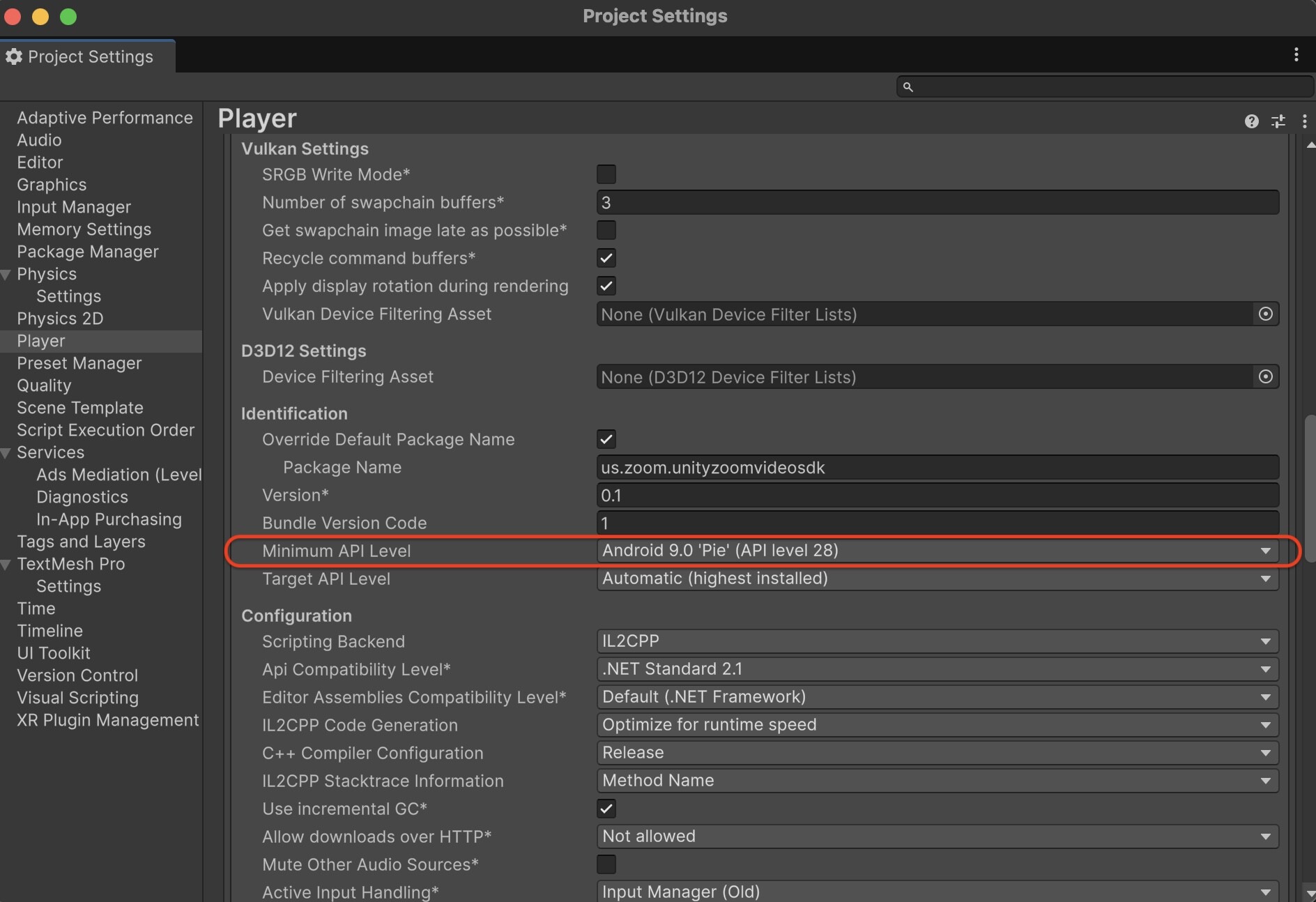
In Unity Editor build profile-player setting, set minimum api level to be 28.
select a device with API level 35 in Unity Editor build profiles, build and run the application.