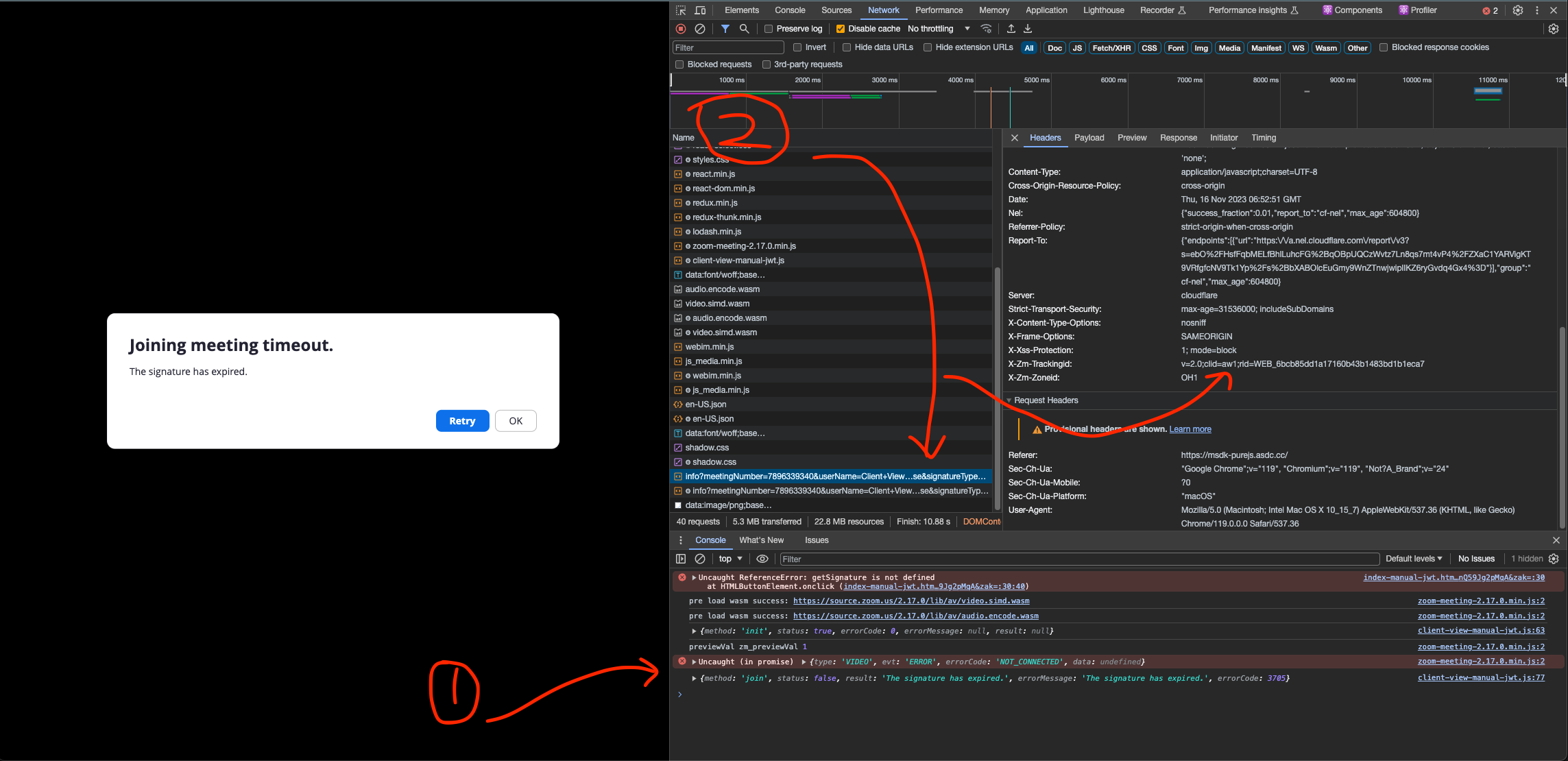
Hi,
The topic is frequent, but no similar posts helped resolve this. The reduced problem / STR for us:
- Have a General App that’s already been published, with the option for Meeting SDK enabled
- Have the latest meetingsdk-web-sample running from GitHub (uses the latest Meeting SDK 6.0.2)
- Try joining any meeting using said web sample and always get error 3712
Related app has the client ID of vDIjRI7JRme8VUJVAJ0qHw.
Things we tried / ensured:
- The app has already been published and activated in production, so this can’t be the problem;
- At the same time, using development credentials does work, but only for meetings hosted by internal accounts. External meetings yield error 4011 - that is, publishing required, which is expected.
- Credentials from the old legacy Meeting SDK app work okay, but only for internal accounts - using meeting from external accounts yield 4012 (anonymous join error) - again, subject to publishing the app, which is impossible for this legacy app type.
- The signature generation itself has been triple checked all around - JWT parameters match the ones we pass to
join() function of @zoom/meetingsdk, the JWT signature itself is correct.
- Regenerating the client secret in production does not help
- Adding the reference General App to the Zoom account of a meeting owner doesn’t change anything, be it an external or internal account relative to the General App.
- Odd behaviour is observed here: after a successful OAuth2 exchange the app never shows in the “added apps” section in native Zoom client, so it’s only possible to revoke the token from our own UI.
No sample code necessary as we can reproduce the issue with the Sample app that Zoom provides, and said Sample app works okay with multiple other credentials anyway, so it can generate the JWTs just fine. As a matter of fact, it uses both the appKey and sdkKey, while sdkKey is considered deprecated for recent Meeting SDK versions.
Any insight on this would be hugely welcome. We have end customers that are impacted by this.
Is it possible to reach anyone at Zoom to check whether the publishing state of our General App (marketplace ID KOqBO6fdSIuWo62WA_adMg) is actually okay?
@MeetingPulse since you are using meeting SDK web, can you capture a web tracking ID for me?
please tag me in your response @MeetingPulse
@chunsiong.zoom Thanks for taking your time on this!
An example tracking ID header for the failing response is v=2.0;clid=us02;rid=WEB_d281b5ac875d5184dc1191b36fc53dbe
This is however from the POST https://zoom.us/api/v1/wc/info request, which is the last meaningful request when failing to join. It has the same payload as in the request from your screenshot: meeting numbers, JWT signature and all, and the error as the response, so hopefully should act the same for debugging purposes.
This is from the Local flavour of the Web Sample.
@MeetingPulse can you paste the jwt token here>?
Internal Ref: ZSEE-203455
@chunsiong.zoom Sure thing. The tokens the Sample App generates have a 2h TTL, so here’s a fresher example:
Tracking ID: v=2.0;clid=us02;rid=WEB_fa53ee7d8aa4ef7b4a45c2557ed1e856
JWT: eyJhbGciOiJIUzI1NiIsInR5cCI6IkpXVCJ9.eyJhcHBLZXkiOiJ2RElqUkk3SlJtZThWVUpWQUowcUh3Iiwic2RrS2V5IjoidkRJalJJN0pSbWU4VlVKVkFKMHFIdyIsIm1uIjo4MTcyMTgwNjA2LCJyb2xlIjowLCJpYXQiOjE3Nzg4MzE5MzAsImV4cCI6MTc3ODgzOTEzMCwidG9rZW5FeHAiOjE3Nzg4MzkxMzB9.r57-NuLMJgzX9e7dL8idV_2RQVHmzS9GsIYzGgxOaDY
Complete network log HAR file here
@MeetingPulse I’ll check this internally and get back to you, if you don’t hear from me after 1 week, do tag me in this post.
@MeetingPulse still checking on this, give me a bit more time
@MeetingPulse there are some clarifications needed. Did you enable meeting sdk function before, or after publishing?
@chunsiong.zoom Likely the Meeting SDK option was toggled after publishing. I can’t assert this with confidence, since we are multiple developers, some already offboarded, who have been handling this for years.
Our use case is - In the past we only used the (now-legacy) Meeting SDK app credentials with the room numbers provided by customer directly to launch the embed. The General app has been added more recently to allow for user-level OAuth to pull the list of meetings/webinars so that people don’t copy-paste that manually. We didn’t need the Meeting SDK option in the General App up until now, so it must be a recent toggle as we try to consolidate our integration into a single General app in Zoom.
There’s no indication in the General App management UI that would imply we need to re-publish due to any config changes we did, nor is there any useful error return in the Meeting SDK on-join error handler.
@MeetingPulse support was mentioning to me that it needs to be resubmitted as meeting sdk feature seems to be turned on after the initial publishing
Hi @chunsiong.zoom,
Yes, we enabled the Meeting SDK feature relatively recently, after the app had already been published.
Prior to that, we were using a separate Meeting SDK app successfully for years. Unfortunately, recent Zoom enforcement changes appear to have broken that flow for many of our paying customers, so we are now trying to consolidate and migrate customers onto the published General App instead.
I will go ahead and re-submit the app today. Given that we already have an active Meeting SDK app, and are just consolidating the app management at this point, would it be possible to request an expedited review?
Thank you again for looking into this. We really appreciate the help.