@joshua.kellenberger Here are the ways to fix that.
1: If you would like to schedule a zoom meeting, then go to calendar.google.com

2: Click “Create” At the top left, then click “Add zoom meeting” At the bottom of that tab.
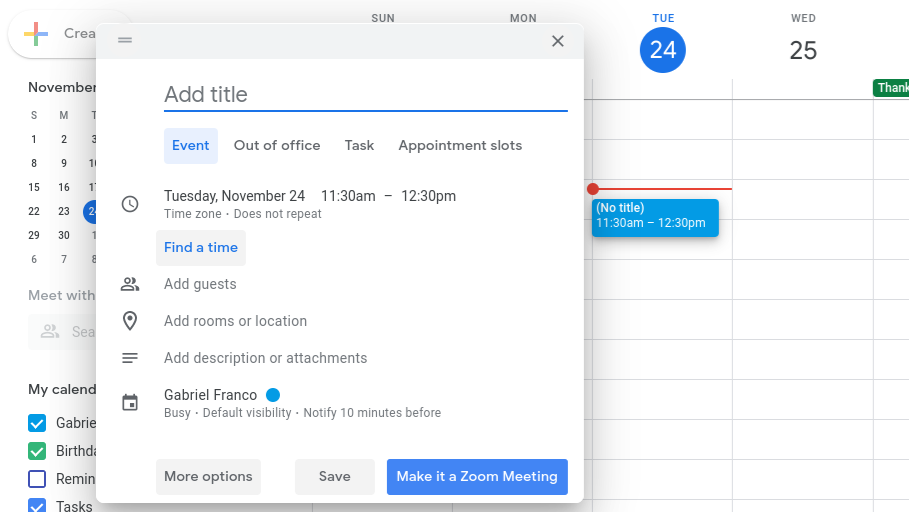
After you click that, Google will automatically add the link to a zoom meeting, with the Meeting ID and password.
Really hope this helped.
@PantherDeveloper

Additional Text
Add any other context about the problem here