Using this template helps us debug your issues more effectively 
Description
When we try to edit the webminar start time, we are getting status 204 (no content) and empty response, also the webminar is not getting edited
Error
Empty response - (Status 204 No content)
Which App Type (OAuth / Chatbot / JWT / Webhook)?
JWT
Which Endpoint/s?
Knowing the API endpoint/s can help us to identify your issue faster. Please link the ones you need help/have a question with.
https://api.zoom.us/v2/webinars/96176219409 (PATCH)
How To Reproduce (If applicable)
Just put this in body(I am not sharing my JWT token by security reasons), I can share in private window if needed.
{
"topic":"TESTSTESTSTESTSTESTSv",

"start_time":"2021-05-15T10:00Z",

"duration":"",

"agenda":"TESTSTESTSTESTSTESTSv"
}
Screenshots (If applicable)
Additional context
When we edit “start time” of the webminar, this issue happens. Otherwise it works fine.
Hi, @balavishnu,
Thank you for posting in the Developer Forum. It looks like the start_time field is missing the seconds. Can you try to update the webinars with the start time formatted like so: start_time": “2021-05-15T10:00:00Z”
For reference, I’ve included a Patch request below :
{
“topic”: "Updated The Webinar Date : ",
“start_time”: “2021-05-15T10:00:00Z”,
“duration”: “30”,
“agenda”: “Updated Agenda”
}
Please give that a try and let us know if that resolves the problem.
Best,
Donte
Hi Donte,
Thanks, I tried that but still same problem. Below is the new request
{
"topic":"CHECK",

"start_time":"2021-05-20T18:00:00Z",

"duration":"1080",

"agenda":"CHECK"
}
Postman screenshot
Hi, @balavishnu,
Are you able to confirm if the Webinar information updated as expected ?
Thanks,
Donte
Yes, update working as expected. Just the response is not proper
Hi @balavishnu,
The expected response for the Update Webinar endpoint is 204 on success:
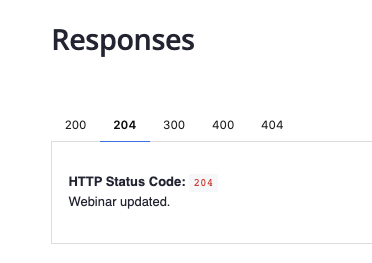
You should not expect a payload in response, but note that the webinar will have been successfully updated if you receive a 204.
Let us know if you have further questions about this.
Thanks!
Will

