Format Your New Topic as Follows:
Which Web Video SDK version?
1.11.0
Zoom Session Id
M0Ry8asrT/C6kEzM/Y4Gag==
Description
When a user was joining to the session, an error was trigger, he was able to join but the camera couldn’t render, he tried turning off and on the camera, but the camera wasn’t still rendered.
Error Message
The provided value 'experimental-webgl' is not a valid enum value of type OffscreenRenderingContextType.
    at https://source.zoom.us/videosdk/1.11.0/lib/js_media.min.js:1:30079
    at Object.<anonymous> (https://source.zoom.us/videosdk/1.11.0/lib/js_media.min.js:1:30412)
    at r (https://source.zoom.us/videosdk/1.11.0/lib/js_media.min.js:1:448)
    at Module.<anonymous> (https://source.zoom.us/videosdk/1.11.0/lib/js_media.min.js:1:135279)
    at r (https://source.zoom.us/videosdk/1.11.0/lib/js_media.min.js:1:448)
    at Object.<anonymous> (https://source.zoom.us/videosdk/1.11.0/lib/js_media.min.js:1:112565)
    at r (https://source.zoom.us/videosdk/1.11.0/lib/js_media.min.js:1:448)
    at https://source.zoom.us/videosdk/1.11.0/lib/js_media.min.js:1:1247
    at https://source.zoom.us/videosdk/1.11.0/lib/js_media.min.js:1:1257
    at https://source.zoom.us/videosdk/1.11.0/lib/js_media.min.js:1:287",
    "message": "Failed to execute 'getContext' on 'OffscreenCanvas': The provided value 'experimental-webgl' is not a valid enum value of type OffscreenRenderingContextType.
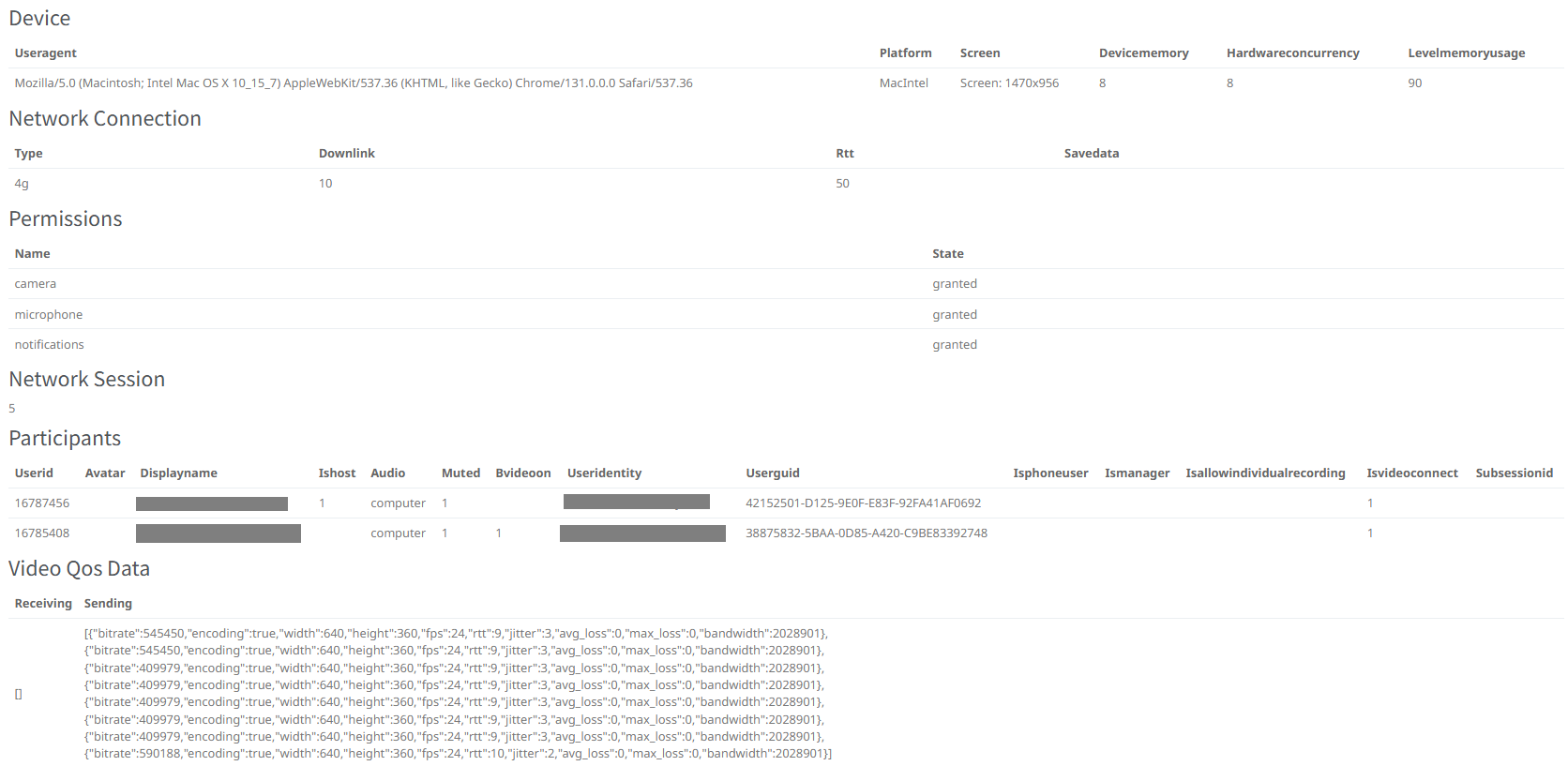
The weird thing is that his bVideoOn was set on 1 and 0 when he tried to turn on/off the camera, so it looks like it was only a render issue
And he tried reloading the page but still got the same error.
How To Reproduce
Steps to reproduce the behavior including:
1. Authentication method or app type
2. Any errors
3. Browser/client type and version
Browser
Mozilla/5.0 (Macintosh; Intel Mac OS X 10_15_7) AppleWebKit/537.36 (KHTML, like Gecko) Chrome/131.0.0.0 Safari/537.36
Here is more data about the session, I store records from the logs of the event “video-statistic-data-change”