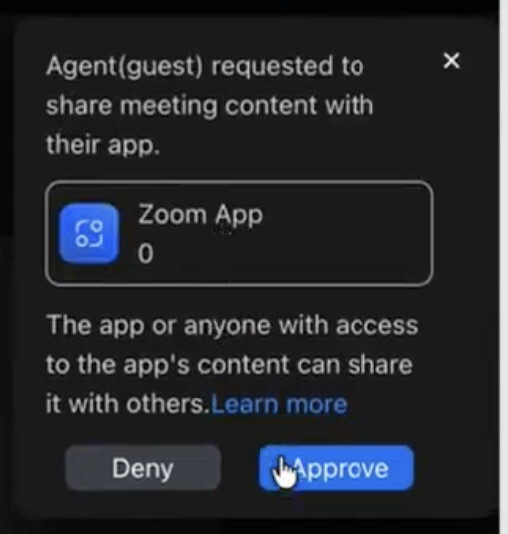
We have an internal app installed in our tenant that we use to record meetings. We use internal APIs to start and stop RTMS.
When joining meetings hosted by external users, the App asks the meeting host for permissions to record but it does not show the app name or logo in the popup which leaves the host confused and not trust the popup.
How can we get the name and logo of our app appear here? We thought of publishing the app as an unlisted marketplace entry but we cannot give our internal APIs for testing and we somehow have to restrict it to the users in our tenant. Any solutions are welcome!
The closest doc-backed path is to move this RTMS app to Published (Unlisted) and complete review. Zoom specifically says unlisted apps can join external meetings and must provide metadata such as images because that metadata is displayed in the Active Apps Notifier. I don’t see Zoom documentation that guarantees the specific host-approval popup will populate the name/logo for a private or internal app, so there doesn’t appear to be a separate branding setting you can enable there.
You can control app access and gate that landing page behind your tenant SSO or existing-user login.
For RTMS specifically, Recall.ai is a Zoom RTMS Preferred Partner and can provide further support around this distribution and approval flow.