Zoom Apps Configuration
I am the account owner. Our developers are building a General App to integrate Zoom with Workato. They are following these steps: Workato connectors - Zoom | Workato Docs
Description
When trying to work through the app process they are prompted to publish the app. I have built apps previously in Zoom, however, it appears the options have changed as I do not see a place to have this app be for internal use only.
Error?
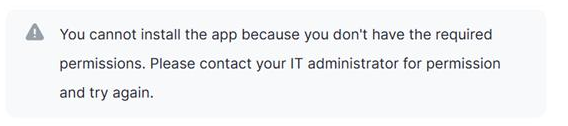
When Clicking Publish they see this error message:
Troubleshooting Routes
1) I have added additional permissions to the account they are utilizing. High Level: User Permissions to read/edit, account management, Zoom Developer, Zoom Marketplace (Manage & Install Marketplace apps for the zoom account). Unfortunately, the error does not indicate which permissions they are missing.
- I have followed the Workato documentation
How To Reproduce
Steps followed in this documentation to connect Workato & Zoom: Workato connectors - Zoom | Workato Docs