I’m trying to set up tracking fields for my account. I get the following error message when I try to make the API call, https://api.zoom.us/v2/tracking_fields
Invalid access token, does not contain scopes:[tracking_field:write:tracking_field:admin].
When I go to my marketplace app, and try to add the tracking_field scopes, they are not present. Meaning I’m not able to even search for them in the scope list.
All of the other Tracking Field posts on this forum point to a support link that no longer exists (it just redirects to the API default page).
Could a working link detailing how to create Tracking Fields be provided to me? If I still need to add the Tracking Field scopes, could I be instructed on how I can add the scopes to my marketplace app?
Hi @FDecDev
Thanks for reaching out to us!
Can you please confirm that you have a Business or Education plan in your account
Here is a support link on the topic
Managing scheduling tracking fields..
This post has not been solved. I was away on vacation when you replied.
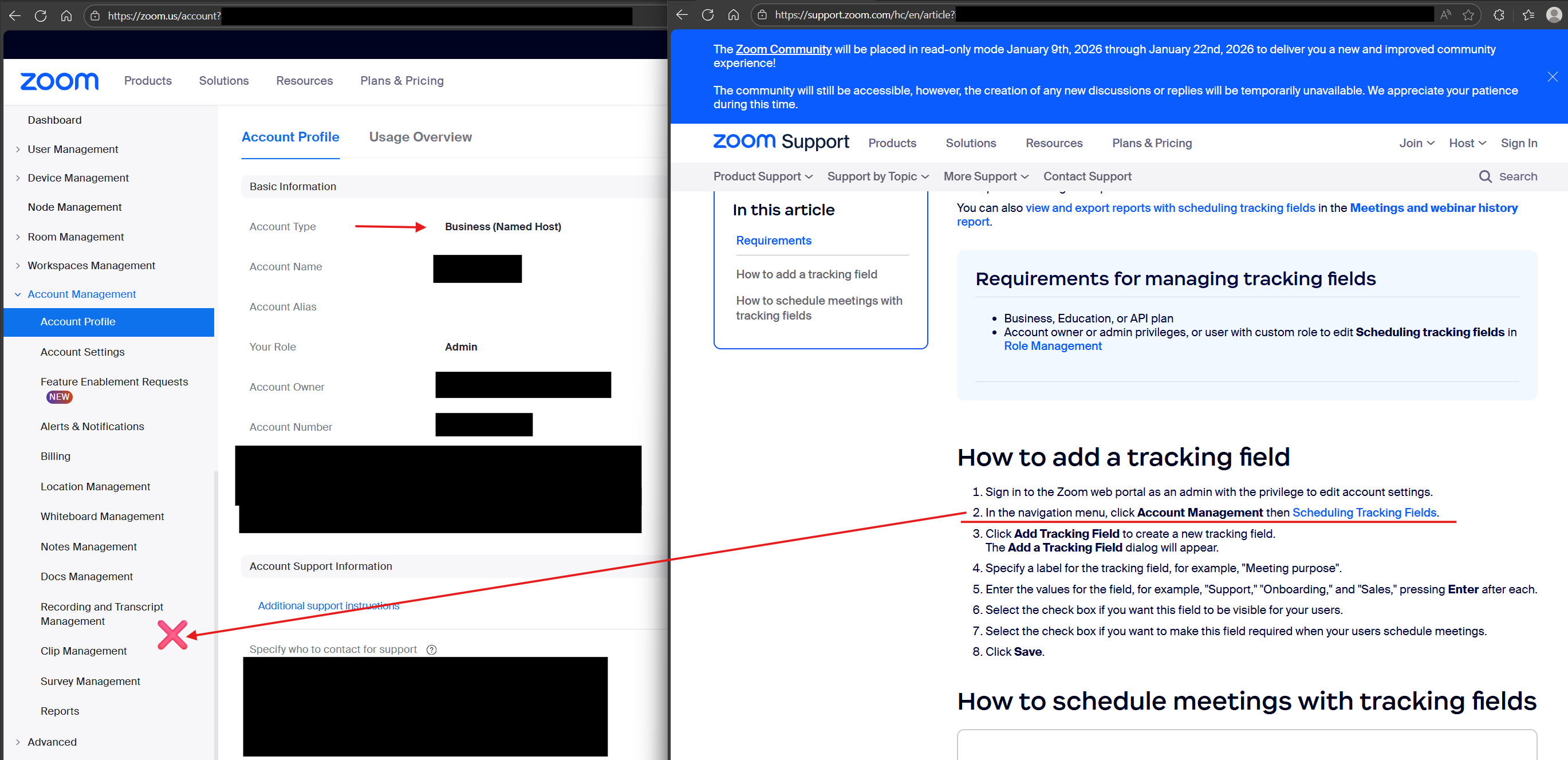
Confirmed Business account.:
With the instructions you provided, step 2 isn’t possible, because I don’t have a Scheduling Tracking Fields link as an option. When I click on the scheduling tracking fields link in the instructions, I get an Access Restricted message.
Further assistance would be appreciated.
Hello,
Is there any update on this topic?
Hi @FDecDev
Thanks for reaching out back to us!
I will send you a DM to get more details about your account and help you enable this on my end