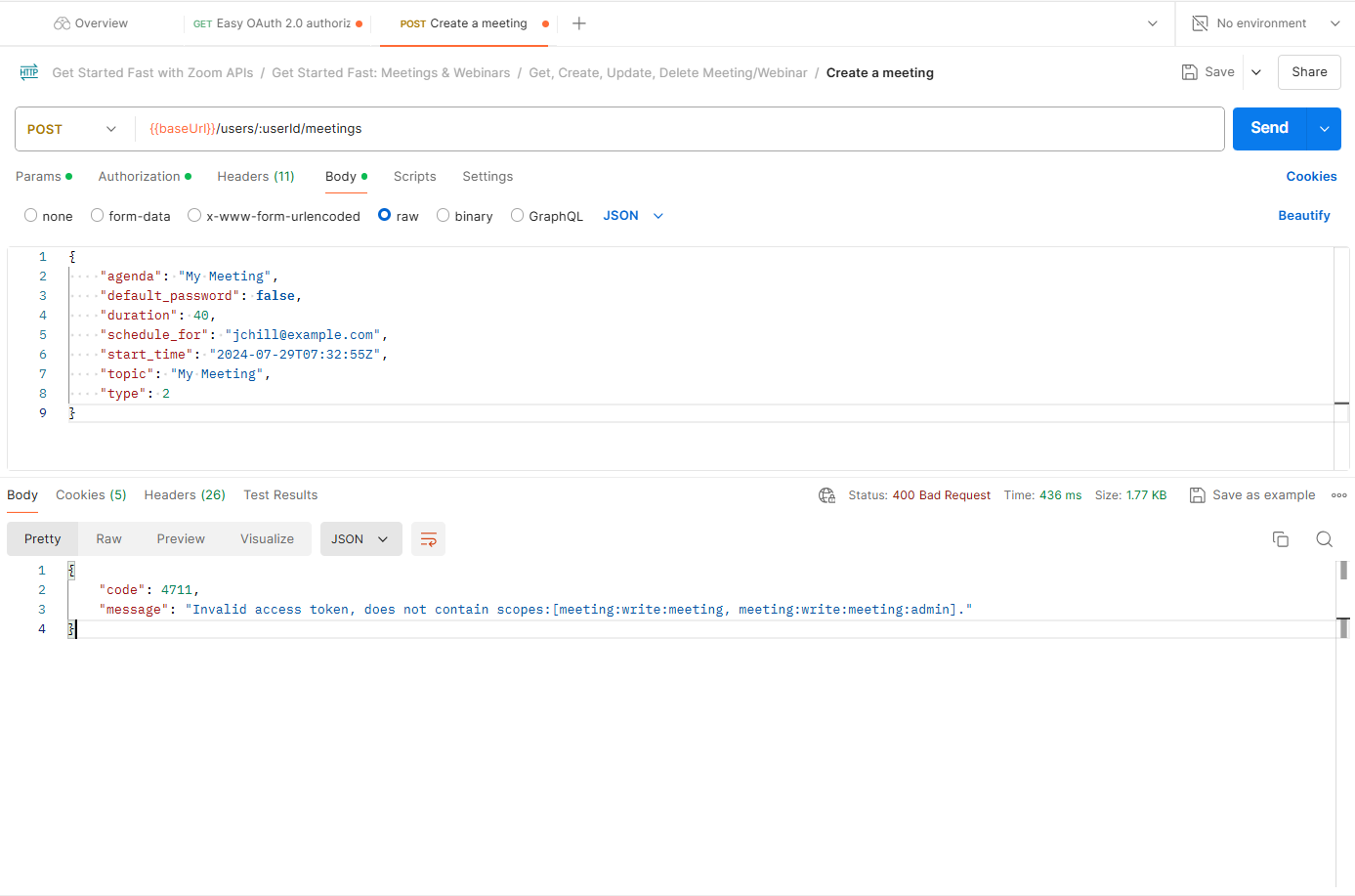
Meeting:write:meeting:admin scope not found

API Endpoint(s) and/or Zoom API Event(s)
{{baseUrl}}/users/me/meetings

Description

  • There is no meeting:write:meeting:admin option even though I am the owner.

Do I need to upgrade my plan to Pro?

Error Message:

{
    "code": 4711,
    "message": "Invalid access token, does not contain scopes:[meeting:write:meeting, meeting:write:meeting:admin]."
}

Hi @skillspotuser
Thanks for reaching out to us!
have you been able to troubleshoot this on your end?

1 Like

Thank you for your response.

I have not been able to fix this yet. Any tips or guidance on how to fix this would be greatly appreciated.

@skillspotuser
could you please share the entire request URL you are sending? is this a Post, or get request?
What app type are you using? is it a S2S or an Oauth app?

Hey @elisa.zoom

General App

  • OAuth 2.0 based approach

POST: https://api.zoom.us/v2/users/:userId/meetings

Error Message:

{
    "code": 4711,
    "message": "Invalid access token, does not contain scopes:[meeting:write:meeting, meeting:write:meeting:admin]."
}

I have followed this:

Hi @skillspotuser
Can you please change the request URL you are sending on postman> make sure to pass the actual user id or the parameter me

Hi @elisa.zoom ,

I am getting the same error response.

Interesting, @skillspotuser
I will send you a DM, please follow up there

Kindly, share the solution. I am having the same issue. I have a server to server oauth app and I need to use it to consume api to create meetings. It wants to add the meeting scopes. Those scopes are not listed in the server to server oauth application.

{
    "code": 4711,
    "message": "Invalid access token, does not contain scopes:[meeting:write:meeting, meeting:write:meeting:admin]."
} 

Hi @Soham
You have to make sure that the user role you have, has the right permissions to create meeitngs

Thanks for your reply. The error message suggests to add those user level scope [meeting:write:meeting, meeting:write:meeting:admin]. Now, those don’t exists in the list of scopes for server to server app. Any idea on how can I create a meeting link using server to server app?