Hey @MarcelB,
Thank you for following up and providing more detail. Looking at the POST body that you’re using more closely, it looks like the language_interpretation object is not within a settings object.
We can see that this is required in the Create a Meeting API documentation as the language_interpretation property is under the settings object.
Here’s an example of using the settings object
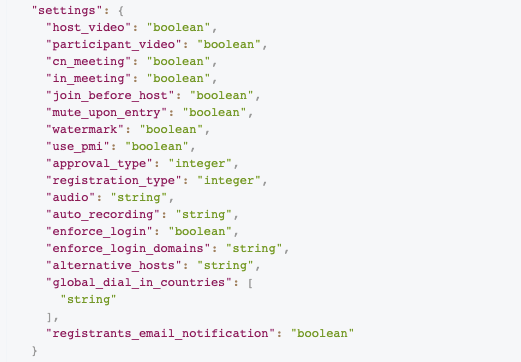
Here’s an example of what that would look like with your request:
{
  "template_id": "s2aXj0lYStSnKNUAUfTDww",
  "topic": "Immersion : session #77 - Bodhi",
  "start_time": "2021-04-13T20:00:00",
  "timezone": "Europe\/Paris",
  "duration": 90,
  "password": "XXXX",
  "settings": {
    "language_interpretation": {
      "enable": "true",
      "interpreters": [
        {
          "email": "marcel-web@brouillet.org",
          "languages": "US,FR"
        }
      ]
    }
  }
}
Please try placing the language_interpretation object within a settings object.
Let me know if that helps! 
Thanks,
Max