I have been testing an RTMS app (since early November) that sends the following events to a webhook:
meeting.started
meeting.rtms_started
meeting.rtms_stopped
meeting.ended
The webhook consumer requests the live transcript over websockets.
Everything was working great, and we were in the process of shifting from local development, to server testing. Then on either 12/10 or 12/11, the RTMS app stopped auto-starting, when I would host a meeting.
We have confirmed that our RTMS trial has been extended to 1/16, but none of our apps are visible in the “auto-start” list.
I can go into My Settings >> Zoom Apps >> Meetings.
“Share realtime meeting content with apps” is enabled.
Whcn I click on “+ Choose an app to auto-start”, the list shows only NONE.
I see the same thing when I go into User Settings (my account) >> Zoom Apps >> Meetings.
I’d appreciate any assistance that you could offer in resolving this issue.
Addendum…
We have two apps using RTMS Scopes and Events:
RTMStest4 - Using an ngrok webhook link to push events to my development machine.
RTMSstaging - Using a direct webhook link to push events to one of our staging servers.
We were successfully auto-starting the RTMStest4, for about a month.
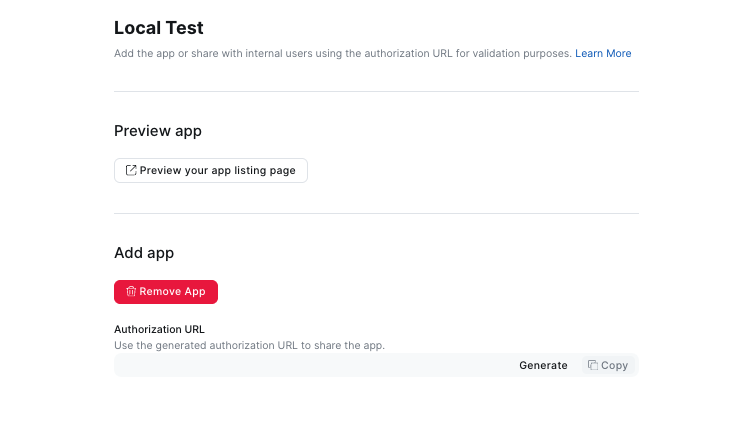
Currently, both apps are added for Local Test, but neither app is available for auto-start.
RTMSstaging was created this week, after auto-start stopped working, just to confirm that we could still access the RTMS scopes and events.
When I create a meeting, I get the meeting.started and meeting.ended events pushed to both webhooks, but no RTMS events (because we can’t auto-start either of them…).
BTW, when auto-start was working, there was a second auto-start option, listed below “Auto-start apps that access shared realtime meeting content“, which is no longer being shown.
I followed the exact steps you mentioned, but I’m unable to find the Meetings scope permission you highlighted. Also, as mentioned earlier by @Bill3 , the app was visible to me at the same time as him, but now it no longer appears in the auto-start list.
@allanmoreno please start a new thread. it is most likely your issue is different frm bill3’s issue.
If you cannot see the scope, you probably no longer have access to RTMS / it has expired