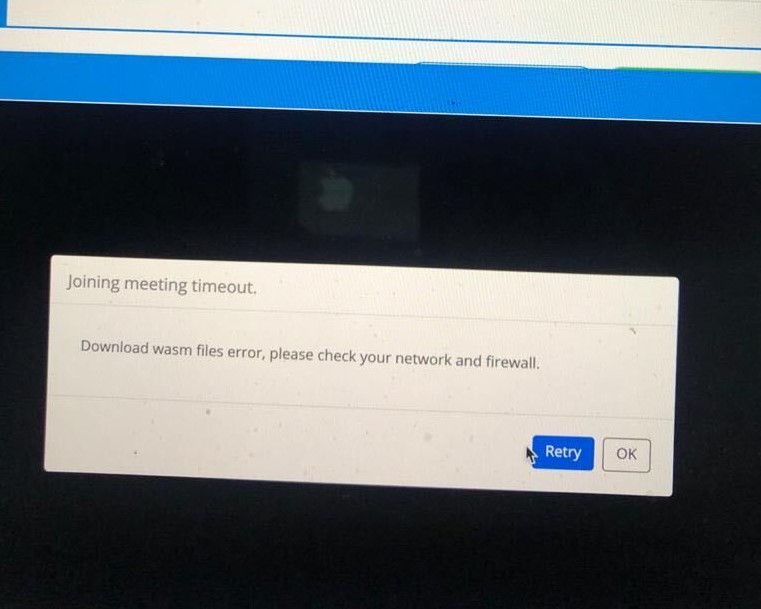
Description @tommy please have a look at it. Thanks.
Error
Which version?
Screenshots
alibek
July 15, 2020, 7:42am
2
We’re getting similar error withhttps://source.zoom.us/1.7.8/lib/av/5510_video.decode.wasm ,https://source.zoom.us/1.7.8/lib/av/5510_audio.encode.wasm ,https://source.zoom.us/1.7.8/lib/av/5510_video.mt.wasm –SDK 1.7.9 - Recaptcha feature documentation we can’t go with these versions.
tommy
July 17, 2020, 6:19pm
3
Hey @alibek , @muhammad.youshea ,
Please use the latest Web SDK version 1.7.10. We can disable recaptcha for you if you fill out this form:
Thanks,
santosh
July 18, 2020, 7:54am
4
We have started getting this error too. We are also facing problems with catpcha wherein it complaints about incognito mode. I have submitted this form already. I have also written to the support, but no response so far from the integrations support team. I’d request this issue to be resolved quickly. It’s a little urgent for us.
santosh
July 18, 2020, 7:55am
5
We are using the latest sdk version(1.7.10).
alibek
July 21, 2020, 5:57pm
6
thanks for your message, @tommy . I’ve filled out the form but never heard from you. When can we expect the opt-out to get finalized?
tommy
July 22, 2020, 6:24pm
7
Hey @alibek , @santosh ,
We did another batch last night. Did you receive a notification email of the recpatcha being turned off?
Also here is the solution to fix the incognito issue:
Thanks,
santosh
July 23, 2020, 4:20am
8
Thanks Tommy, but we have not received any notifications in this regard yet.
santosh
July 23, 2020, 4:25am
9
and it still shows captcha button
santosh
July 23, 2020, 5:17am
10
we’re following the steps given on this page, still getting this error. Disabling captcha is something that is rather urgent for us.
tommy
July 24, 2020, 5:48pm
11
Hey @santosh ,
I have just disabled it for you.
Thanks,
santosh
July 24, 2020, 7:39pm
12
Thanks Tommy, yes it’s working without captcha now.
sakosile
July 25, 2020, 12:02am
13
Please am having this issue too. I have filled the form to disable recapcher. Thanks
sakosile
July 25, 2020, 3:27pm
14
Hello Tommy,
Please i have filled out the form. Still awaiting response.
Thanks
tommy
July 28, 2020, 6:00pm
16
Hey @sakosile ,
I have disabled the recpatcha for you!
Thanks,
Hello Tommy,
Please i have also filled out the form for disabling captcha… Awaiting for your response
Thanks in advance
tommy
August 7, 2020, 6:01pm
19
Hey @chandu_poloju ,
Thanks for letting us know, I have disabled it for your account.
On Monday captcha will be disabled by default for everyone:
-Tommy
Hi @tommy …
tommy
August 10, 2020, 6:04pm
21
Hey @shubham.walia ,
The recaptcha update has been released.
Thanks,